
Variables
Variables let a Flow reuse a value later instead of typing it again. Scrapeer docs use the canonical syntax {{variableName}}.
Variable syntax
Write variables with double curly braces: {{variableName}}.
Use this format in docs, examples, generated content, and saved Block settings. In editor inputs that support autocomplete, typing @ can help you pick a variable; the saved reference still uses double curly braces.
Passing values between Blocks
A later Block can use a value produced earlier in the Flow when the producing Block exposes that value as an output or variable. This is how a Flow can open a page, extract a value, and then reuse that value in a later step.
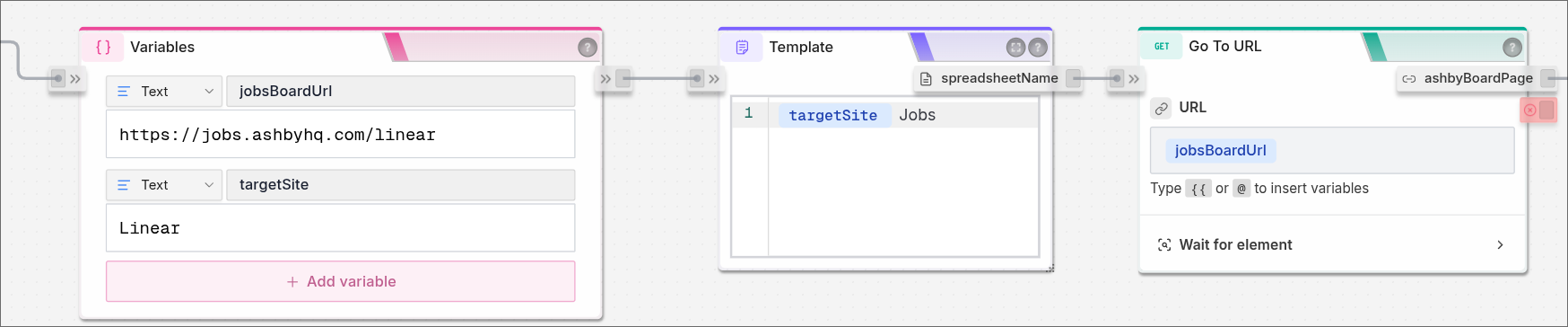
Keep variable names short and specific. {{price}}, {{productName}}, and {{rows}} are easier to read than names that describe the whole workflow.
Where variables help
Variables are useful when a Flow needs to:
- Reuse extracted text in another Block.
- Build a URL, filename, message, or request body from earlier data.
- Pass rows into an export, email, API request, or later processing Block.
- Keep a setting editable without hardcoding the same value in many places.
Missing values
If a variable is empty, start with the Block that should have created it. Check whether that Block ran, whether the page contained the value, and whether the output name matches the variable you typed.
Variable spelling matters. {{productName}} and {{productname}} are different names.
Common mistakes
- Using a variable before the producing Block has run.
- Typing a different name than the output you meant to use.
- Treating the autocomplete trigger as part of the saved variable syntax.
- Reusing a vague name such as
{{data}}until the Flow becomes hard to read.